Client portal
A portal your clients can actually use.
Clients sign in to their own portal under your brand. They see their projects, the requirements they signed and where each feature is, and nothing internal.
What your clients do
- Co-write requirements with you: user stories and acceptance criteria.
- Sign off each requirement and the project's business docs.
- Comment on features and docs, with @mentions and email.
- Report bugs with screenshots and follow them to the fix.
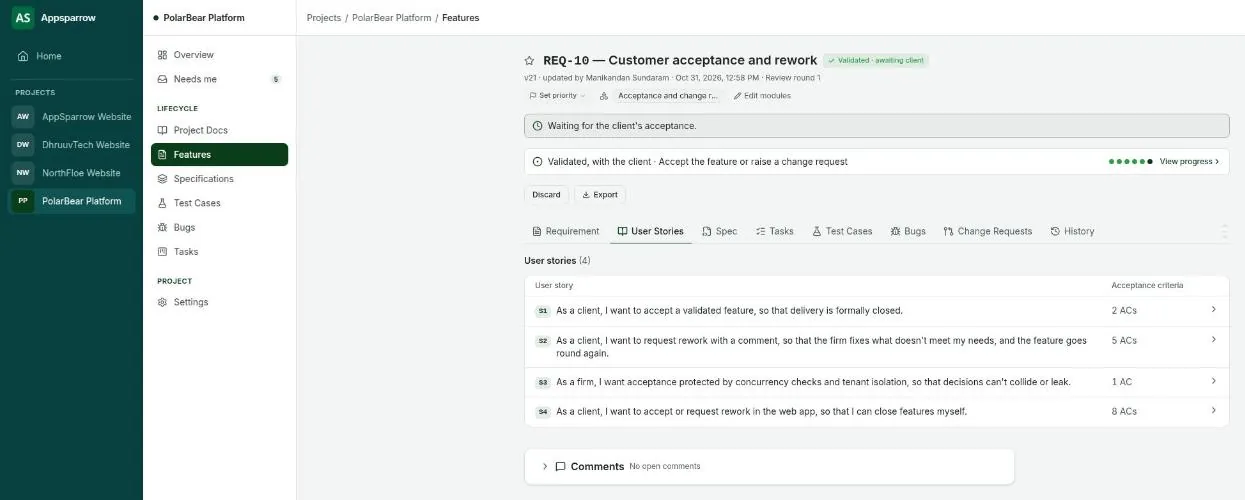
- Accept a validated feature, or raise a change request.
What they never see
- Technical specs and tasks
- Test case internals and runs
- Your firm's settings and other users
- Other clients' projects
Two-party sign-off
A requirement is signed off by your project manager and by the client. Every change after that is a new version, so both sides can see exactly what was agreed.
See your next client project run spec-first.
We'll walk you through a real feature, from requirement to client acceptance.
Book a demo